



Chess is the most-played strategy game in human history, and you no longer need a board, a clock, or even an account to enjoy it. A browser-based "unblocked" chess game loads the entire board and a built-in opponent right on the page, so you can play a quick match between tasks, sharpen your tactics, or teach a beginner the ropes — all without setup. If you have ten minutes and a browser tab, you have everything you need.
Below you'll find a no-friction way to start playing, plus the genuinely useful stuff most quick-play pages skip: how each piece moves, the special rules nobody explains clearly (castling, en passant, promotion), and a simple opening plan that will win you more games this week. If you enjoy browser strategy games, this fits right alongside our other free browser game tools and guides.
Table of Contents
ToggleWhat "Chess Unblocked" Actually Means
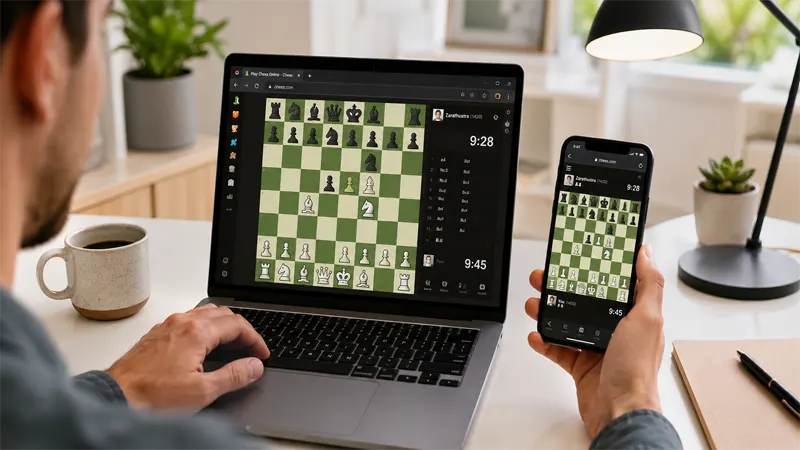
The term gets used loosely, so here's the plain version. "Unblocked" chess just refers to a chess game that runs entirely inside your browser window using lightweight web code, rather than as a downloaded program. Because nothing installs and no login is required, you can start a game on practically any device — a laptop, a Chromebook, a tablet, or a phone — within a few seconds of the page loading.
Three things make a good browser chess game worth your time:
- Instant play. The board should appear and be ready to move the moment the page finishes loading — no loading screens, no sign-up wall.
- Adjustable difficulty. A genuinely useful AI opponent lets you pick a level, so a first-timer and an experienced player both get a fair game.
- Full official rules. The good versions include the tricky stuff — castling, en passant, and pawn promotion — not just basic moves.
How to Play Chess in Your Browser (4 Simple Steps)
You can be playing in under a minute. Here's the whole process:
- Open the chess boardLoad the game in any modern browser — Chrome, Firefox, Safari, or Edge. The board appears automatically, set up and ready.
- Pick your side and difficultyChoose White (moves first) or Black, then select a difficulty level — Easy, Medium, or Hard — depending on your experience.
- Move your piecesClick or drag a piece to a legal square. The game validates every move for you, so you can't make an illegal one by accident.
- Play it outTake turns with the AI until checkmate, stalemate, or resignation. Use undo or reset to start over and try a new plan anytime.
That's it — no manual, no tutorial gate. The fastest way to improve is simply to play a lot of games and pay attention to what goes wrong, which the next sections will help you do.
The Rules of Chess, Explained Simply
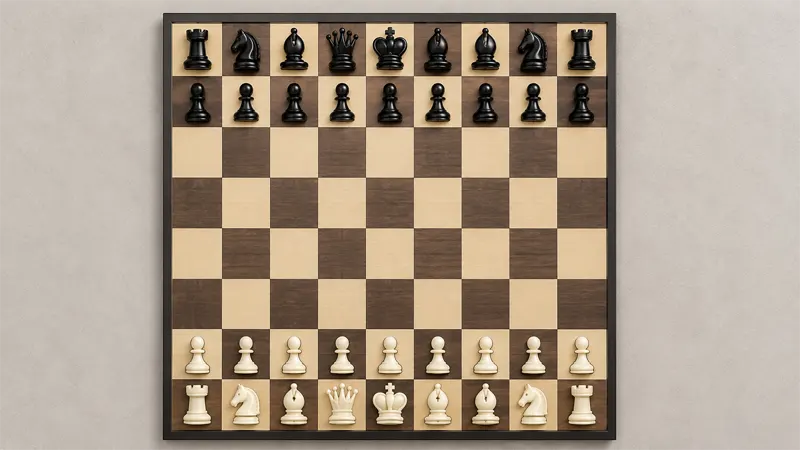
Chess is played on an 8×8 board of 64 light and dark squares. Each player commands 16 pieces, and the entire goal is to trap the opponent's king in checkmate — a position where the king is under attack and has no legal way to escape. White always moves first, then players alternate one move at a time.
A few outcomes are worth knowing up front. If your king is attacked, that's "check," and you must respond immediately. If you have no legal move but your king is not in check, the game is a draw called "stalemate." Games can also end by resignation, agreement to a draw, or running out of time in timed formats.
How Each Piece Moves
Every piece has its own movement rule. Learn these six and you know how to play:
| Piece | How It Moves |
|---|---|
| Pawn | Forward one square (or two on its first move). Captures diagonally one square. Never moves backward. |
| Knight | In an "L" shape — two squares one way, then one square perpendicular. The only piece that jumps over others. |
| Bishop | Any number of squares diagonally. Each bishop stays on one color for the whole game. |
| Rook | Any number of squares horizontally or vertically. Powerful in open positions. |
| Queen | Any number of squares in any straight or diagonal direction. The strongest piece on the board. |
| King | One square in any direction. It must be protected at all costs — losing it ends the game. |
The Three Special Moves Most Beginners Miss
These rarely get explained well, and they decide more games than people realize:
- Castling. A one-time move that tucks your king to safety and activates a rook. The king slides two squares toward a rook, and the rook hops to the king's other side. You can only castle if neither piece has moved, the squares between them are empty, and the king isn't moving through or into check.
- En passant. A special pawn capture. If an opponent's pawn advances two squares and lands right beside yours, you may capture it "in passing" as if it had moved only one square — but only on the very next move.
- Promotion. When a pawn reaches the far end of the board, it transforms into any piece you choose (almost always a queen). A single promoted pawn can turn a losing game into a winning one.
Where to Play Chess Free in Your Browser
If you just want to jump into a game without juggling accounts or installs, a handful of browser-based game hubs make it effortless. Each option below loads instantly, runs the full ruleset, and works on a laptop, Chromebook, or phone. They're a good fit when you want a quick match without the clutter of a full membership platform.
Unblocked Games 76
A clean, fast-loading hub with a polished chess board and adjustable difficulty. If you want the simplest possible "open and play" experience, the team behind Unblocked Games 76 keeps the interface minimal so the game is ready the moment the page loads — no menus to wade through before your first move.
Play on UnblockedGames76 →Unblocked Games 88
For players who like a bit more variety alongside their chess, Unblocked Games 88 pairs a solid chess engine with a wider catalogue of browser games. It's a reliable pick when you want one tab that handles both a focused chess session and a quick break between matches.
Play on UnblockedGames88 →Unblocked 911 Games
If you're after a lightweight option, the Unblocked 911 Games platform runs an HTML5 chess board that loads quickly even on modest hardware. On an older device or a slower connection, this is a dependable choice that won't bog down before you get to play.
Play on Unblocked 911 Games →Unbloked Chess
If chess is the only game you came for, a dedicated board is the cleanest route. Unbloked Chess is built around the game itself — no other titles competing for attention — so you land straight on the board, pick a difficulty, and play. A good fit when you want a distraction-free chess session and nothing else.
Play on Unbloked Chess →Whichever you choose, the experience is the same at its core: pick a side, set a difficulty, and play. Once you've got a board in front of you, the strategy section below will start winning you games.
Beginner Chess Strategy: Win More Games This Week
You don't need to memorize hundreds of opening lines to start winning. Strong beginner play comes down to a handful of principles that apply to almost every game. Master these and you'll already be ahead of most casual players.
The Four Opening Principles
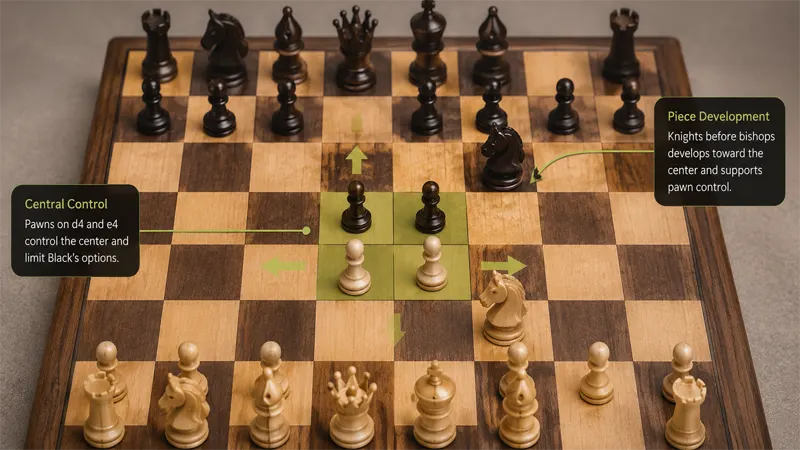
1. Control the center
Push a central pawn (e4 or d4) early. Pieces in the center control more squares and move with more freedom.
2. Develop your pieces
Get your knights and bishops off the back rank in the first few moves. Don't move the same piece twice early.
3. Castle early
Tuck your king into safety within the first 10 moves. An exposed king loses games fast.
4. Connect your rooks
Once your other pieces are developed and you've castled, your rooks work together along open files.
Common Mistakes That Cost Beginners Games
- Bringing the queen out too early. It feels powerful, but a roaming queen gets chased around and you lose tempo defending it.
- Grabbing pawns instead of developing. Winning a single pawn early often isn't worth falling behind in development.
- Ignoring your opponent's threats. Before every move, ask: "What is my opponent trying to do?" Most beginner losses come from missing a simple threat.
- Not protecting pieces. Before you move, check whether the piece you're moving — or leaving behind — is defended.
What to Practice Next
Once the basics feel natural, the next leap is tactics — short forcing sequences like forks, pins, and skewers that win material. Recognizing these patterns is what separates a casual player from someone who consistently wins. We're publishing a dedicated tactics walkthrough soon; in the meantime, if you like quick browser strategy games, explore more of our free game guides and tools to keep the brain warm between matches.

Chess Unblocked — Frequently Asked Questions
Is browser chess really free to play?
Do I need to download or install anything?
Can I play chess against the computer?
Can two players share one device?
Does browser chess work on a phone or Chromebook?
How do I castle in an online chess game?
What is the best first move in chess?
How long does a game of chess take?
Is chess good for the brain?
Can I undo a move or restart the game?
Whether you're learning the rules for the first time or sharpening tactics, the best way forward is the same: open a board, pick an opponent, and play. Every game teaches you something — and with browser chess, your next match is always one click away.
